Published on
June 13, 2025
by
Gina Rancaño, BA
Revised on
March 10, 2026
Writing assistants help improve your text by correcting spelling and grammar mistakes. LanguageTool uses artificial intelligence, which can strengthen the correction process by detecting and fixing advanced errors and by generating rephrased sentences that can better suit your tone and voice.
Published on
June 13, 2025
by
Gina Rancaño, BA
Revised on
March 10, 2026
LanguageTool is an advanced writing assistant that supports over 30 languages. Its main languages are English, German, Spanish, French, Dutch, and Portuguese.
It also supports a variety of different dialects. For example, LanguageTool supports Australian, British, Canadian, New Zealand, South African, and American English.
Published on
June 13, 2025
by
Gina Rancaño, BA
Revised on
October 8, 2026
Are you looking for a simple solution for having the benefits of spell checking AND using your favorite desktop apps? LanguageTool’s latest release corrects texts in programs like Outlook or Editor (Notepad).
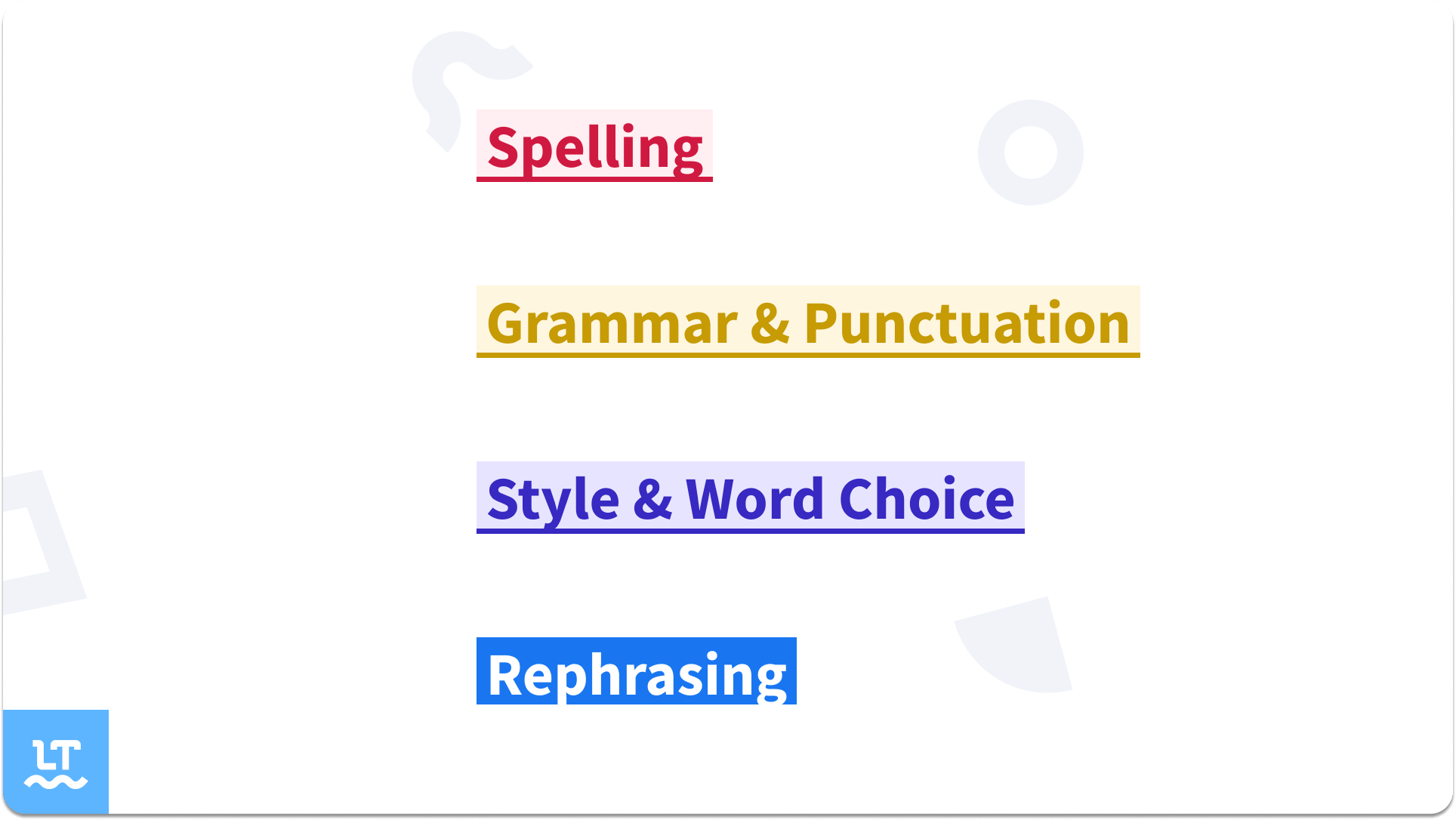
LanguageTool can be useful to you in many ways because this intelligent writing assistant can help you spot mistakes and uncertainties. It’s available in multiple languages. The tool is designed to work with the following color scheme:
Depending on the operating system and application, you can find different versions of LanguageTool.
Published on
June 12, 2025
by
Gina Rancaño, BA
Revised on
March 10, 2026
First, let’s cover some basics.
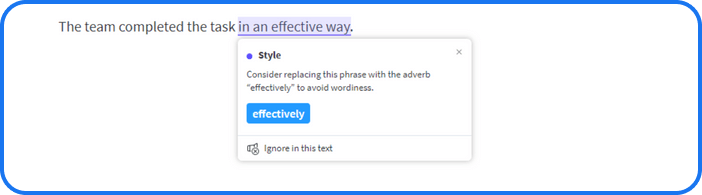
LanguageTool is an advanced writing assistant that goes beyond simply checking for (and correcting) grammar, spelling, and punctuation mistakes. Instead, it analyzes your writing entirely to provide suggestions that significantly elevate your texts. For example, style suggestions can enhance the flow, clarity, and readability. If a sentence is too long, if the passive voice has been misused, or if there are better alternatives to a wordy phrase, LanguageTool will notify you.
LanguageTool does much more than correct grammar, spelling, and punctuation errors.
Furthermore, if you’re seeking a certain tone for your writing, but can’t seem to find the right words, LanguageTool’s rephrasing function can rewrite your sentence to better suit your audience’s needs.
If you don’t already have a LanguageTool account, don’t worry. Signing up is easy.
Published on
June 12, 2025
by
Gina Rancaño, BA
Revised on
March 10, 2026
Long sentences can leave your readers confused, or worse, they can cause them to stop reading your writing altogether. That’s why LanguageTool developed a feature that can detect long sentences and propose two shorter, split sentences.
This guide will go over everything, including what LanguageTool is, the issue with long sentences, and how to use the innovative sentence-splitting feature.
Published on
June 12, 2025
by
Gina Rancaño, BA
Revised on
March 10, 2026
LanguageTool is a powerful writing assistant that enhances your text by correcting a wide range of errors and offering stylistic suggestions that improve the tone, flow, and readability. With support for over thirty languages and dialects, this powerful grammar, spelling, and punctuation checker can be used across multiple platforms including Mac and Windows apps, the online editor, and various add-ons and plug-ins.
Red notifications are spelling errors; yellow are grammar mistakes; purple are style suggestions; and blue are rephrased sentences.
Published on
June 12, 2025
by
Gina Rancaño, BA
Revised on
March 10, 2026
Picture this: You’re an aspiring author working on a romantic fiction novel. You’re using an AI writing assistant to help rid your text of grammar and spelling errors. Occasionally, though, the writing assistant offers suggestions to paraphrase and “improve” your work. Out of curiosity, you view the suggestion, and it offers to “fix” it by rewriting poetic, awe-inspiring prose into a stiff, serious text. In dismay, you turn off the writing assistant because what’s the point?
LanguageTool understands that no two texts are the same. The Writing Goals feature lets you customize your experience so that you only get suggestions that fit your writing needs.
This is a game changer for all types of writers, whether you’re working on an academic paper, a work report, a creative project, or anything else. Below, we’ll show you how to use this writing feature and which writing goals you can choose from.
Published on
June 12, 2025
by
Gina Rancaño, BA
Revised on
March 10, 2026
Whether you’re a word aficionado or just starting your writing journey, LanguageTool’s Editor will help you hone your skills so that you can compose one masterpiece after another. This blog post will teach you everything you need to know about this advanced writing assistant software.
Published on
June 12, 2025
by
Gina Rancaño, BA
Revised on
March 10, 2026
It’s not every day that one bears witness to the birth of a technology that will undoubtedly change the world and the way we live in it. For years, we’ve watched movies and shows about artificial intelligence. Still, those were always considered science fiction—just a figment of someone’s imagination of how things could be in the future. But that future is here now.
With the rise of artificial intelligence comes the need to learn new ways of doing things we’ve been doing all along—like using the written word to express our thoughts.
Helping us strengthen our writing is just one of the many ways in which artificial intelligence can be helpful. But it’s not as easy as asking it to generate a text for you, as doing this can be problematic. That’s why we will teach you how to correctly use ChatGPT along with LanguageTool to generate compelling, error-free writing.
Before we do that, let’s cover some basics, like what LanguageTool and ChatGPT are and why you should avoid using artificial intelligence to generate your entire text.
Published on
June 12, 2025
by
Gina Rancaño, BA
Revised on
March 10, 2026
What if we told you there was a way to unleash your writing productivity? It’s simple and requires no extra effort on your part. Would you want to know about it?
We thought you would.
LanguageTool’s new Statistics feature will take your writing to a whole new level. We’ll show you how.